 RU
RU EN
EN ES
ES FR
FR HI
HI JA
JA KO
KO MS
MS PT
PT TR
TR






Ebin Shaders - Shader for Minecraft
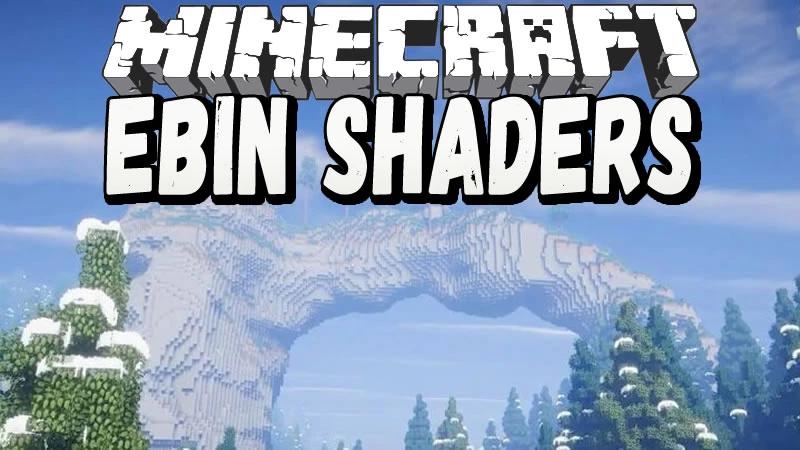
Ebin Shaders is a beautiful shader with 3d clouds and good optimization
Ebin Shaders is definitely an excellent representative of the shader world. This shader allows you to transform an ordinary minecraft picture into something special. Its first significant difference from other shaders is clouds. Vanilla clouds are a 3d object, and you can fly through them, which has a positive effect on the atmosphere of the game, but a significant part of the shaders simply misses this moment, and a chip on them is just a picture. With the same shader, you get very beautiful volumetric clouds.Also, the advantages of the shader include detailing, it is not filled with a lot of special effects. Here are only the most important effects that do not greatly change the look and atmosphere of vanilla minecraft. Also, the shader works on all current versions of the game, which will allow you to play both on the good old 1.12.2 version and on the new 1.17.1. The shader has an average optimization, and it can even be classified as optimized shaders if you play with a little drawing.
A little bit about optimization:
Having a pretty average PC (I7 8700, GTX 960~GTX 1050 ti)
Vanilla, 1.16.5, 16 Chunks. 400+fps.
Ebin Shaders 1.16.5, 16 Chunks 40-50 fps.
Ebin Shaders 1.16.5, 8 Chunks 70-90 fps.
Pros and cons:
Advantages:
Suitable for many computers.
Nice lighting.
There are settings.
3d Clouds.
Cons:
There are artifacts in the clouds.
A strange contrast of heaven and earth.
The result and our opinions
The shader turned out to be quite beautiful, people who want to look at minecraft from the other side will like it. It is also necessary to note the clouds, which in our opinion are the feature of this shader. The disadvantages of the shader include rare artifacts of these clouds and the contrast of heaven and earth. If you don't have a very powerful computer, then playing with a shader can be a problem for you.
Screenshots are available below


