 RU
RU EN
EN ES
ES FR
FR HI
HI JA
JA KO
KO MS
MS PT
PT TR
TR






Problems related to the KLauncher account

In this article we will answer some questions related to your account.
Greetings, Klauncher's support is with you. Today we will answer some questions related to your account.
Content:
1) How do I change my password?
2) What should I do if I forgot my Klauncher account password?
3) How do I change my username and email?
4) The skin/cloak is not displayed.5) Forgot your username.
Problems:
1. How do I change my password?
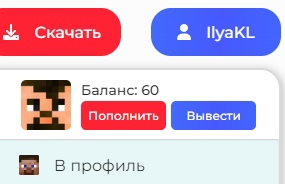
In order to change your password, you need to go to Klauncher's website and there will be a button in the upper right corner to log in to your profile. You need to hover the cursor and click "Profile".
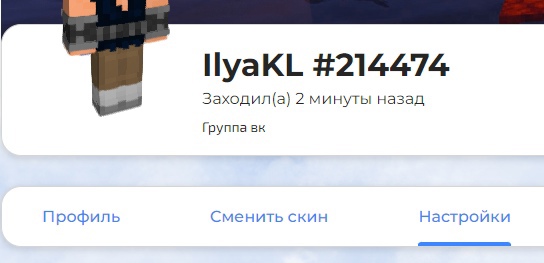
Next you need to click "Settings".
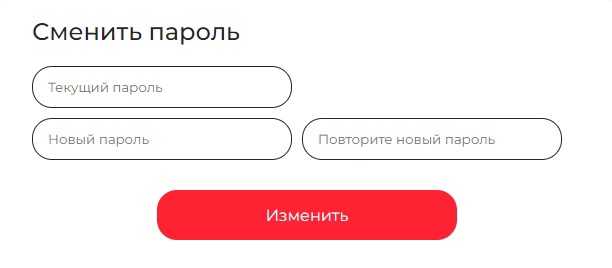
Scrolling through a little below you will find a window where you can change your password.

2. What should I do if I forgot my Klauncher account password?
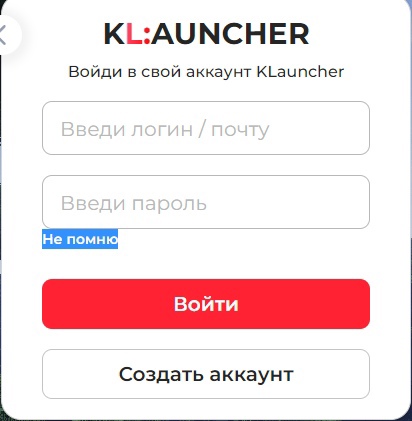
On the authorization page, click on the "I don't remember" button. Next, you will be required to enter your username or email address that is linked to your account.
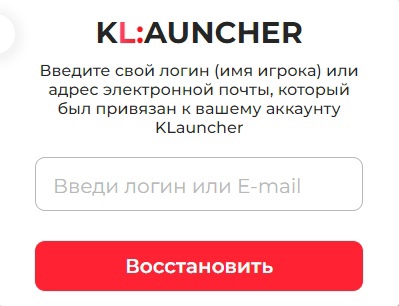
After these steps, you need to go to your mail site. Here we can see the email that contains the link and your new password. You must follow the link, otherwise the password will not be reset to the one suggested in the email.


If for some reason you can't restore your password, write to us in the group's private messages, we will try to restore your password promptly.
3. How do I change my username and email?
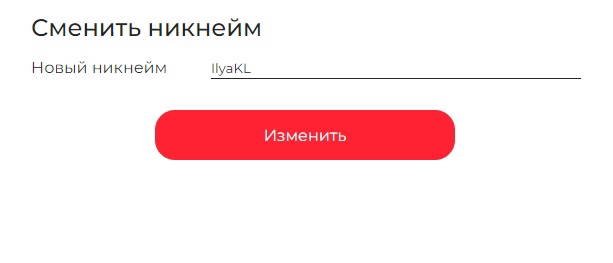
Next to the password change window is a window with a login change (your nickname). In the "General Settings" tab, you can change your email (E-Mail).

4. The skin/cloak is not displayed.
Check if the skin system is enabled in the launcher (the "Use the KLauncher skin system?" lever).

You must also be logged in to the launcher. To do this, you need:
1) Click on the account manager button.

2) Select the authorization method.

3) Enter the data from your account.

And there should be no mods that affect the change of skins!
If the skin is not displayed anyway:
You need to write a message to Klauncher's group, answering the following questions:
1) What is your nickname?
2) Which version of minecraft did you use?3) Did the problem occur in the single world or on the server?
4) Have you used a licensed account in minecraft?5) Have you used Forge?
6) Have you used Optifine?7) Have you used any mods or texture packs, if so, which ones?8) Do you have an antivirus installed? If so, which one?
5. Forgot your username.
If you forgot your username, but remember his email, you need to contact our group with the message "Hello! I forgot the login from the account, my mail should be there_MAIL." In this case, we will try to remind you of your login.
If you have any other questions about the KLauncher account, we will be glad to hear from you in the personal messages of the group in Vkontakte!