 RU
RU EN
EN ES
ES FR
FR HI
HI JA
JA KO
KO MS
MS PT
PT TR
TR






Télécharger Minecraft 1.19.3
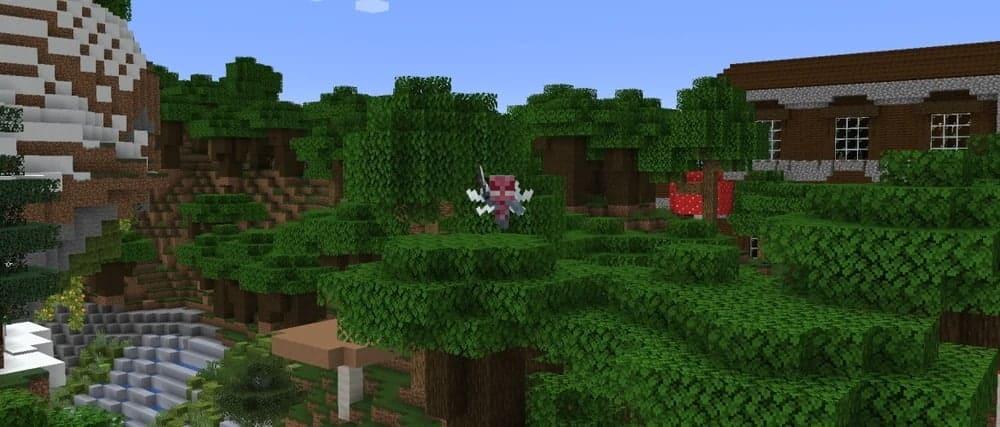
1.19.3 is a small update of the Java Edition, released on December 7, 2022, which adds some features. This update also reorganizes the creative inventory and fixes bugs.
Minecraft 1.19.3
A Minecraft Java Release
The content for 1.20 is available in 1.19.3 when the data pack is activated.
List of changes:
Sounds:
Different types of wood blocks now have unique sounds.
Are divided into Upper World, Nezer and bamboo (if the data pack is activated).
Footsteps can now be heard when walking on carpets, water lilies and small amethyst buds.
The sounds of footsteps can now be heard when walking through unsightly sprouts, luminous lichen, crimson and distorted roots.
Creative inventory:
Blocks and items have been moved to categories that are more suitable for them.
Blocks are now ordered by material as much as possible.
For example, all blocks and oak variants are now located next to each other.
Some items can now be found in more than one tab
The search tab now lists items grouped sequentially by other tabs.
For example, items from the "Building blocks" tab will always be displayed in front of items from the "Redstone Mechanics" tab.
The "Multi-colored blocks" tab has been added, containing all blocks with 16 color options.
The petrified oak slab has been removed from the creative inventory.
It can still be accessed via commands.
The following missing items have been added to the creative inventory:
Mysterious stew;
Dragon's egg;
Ominous flag;
Breeding ground of monsters;
Fireworks with different flight duration;
Technical blocks and items in the "Operator Tools" tab.
Tooltips showing the tab with the item are now displayed everywhere for all items.
Previously, suggestions were only in the "Search" tab.
A hotbed of monsters:
Now does not have a default mob.
Does not emit fire particles if the mob is missing or not defined.
Renamed the Breeding Ground of Monsters to match Bedrock Edition.
Removed the purple color for the tooltip.
Now you can take it by clicking the mouse wheel.
The mob type is now displayed when hovering over the block in the inventory.
If there is no mob, there will be a hint on how to place it.
Mob Summoning Eggs:
Added Ender Dragon, Viser, Iron Golem and Snow Golem summoning eggs.
Ender Dragon and Viser summoning eggs are available only through commands.
Changed the color of the polar bear summoning egg to make it more different from the gast summoning egg.
Game rules:
Added rules: blockExplosionDropDecay, mobExplosionDropDecay and tntExplosionDropDecay.
If the value is false, all blocks fall out, if the value is true, the blocks fall out randomly depending on the distance from the center of the explosion.
By default, false is for dynamite, true for other blocks and mobs.
Added the snowAccumulationHeight game rule.
During a snowfall, it determines how many layers of snow can accumulate.
By default, it is set to 1, with a value of 0, no snow is formed, with a value of 8, layers of snow can accumulate at the level of a complete block.
waterSourceConversion and lavaSourceConversion rules have been added.
When set to true, it allows you to create an infinite source of liquid.
By default, true is near water, false is near lava.
Added globalSoundEvents game rule.
Determines whether certain game moments will be heard by all players in the world.
By default, true.
Added the /fillbiome command.
Syntax: /fillbiome <from> <to> <biome> [replace<filter>]
Changes the biome on a specific territory.
Biome information is not stored in blocks, so the shape of the biome may differ slightly from the specified coordinates.
In commands, you can now specify a specific variation of the axolotl, boat, fox, fly, painting, rabbit, horse, llama, peasant, parrot and tropical fish.
In Nezer, endermen, skeletons and viser-skeletons now appear at illumination 7 and below (previously - 11 and below).
Chat:
Chat preview removed.
Messages deleted by the server moderators will no longer be completely hidden, but will be replaced with the text "This message was deleted by the server".
Deleted messages will now be displayed in the chat window for at least 3 seconds before being hidden.
Chat trust status indicators have been changed:
The "Changed" tag will no longer be displayed for messages modified by the server, in which only the style was changed.
The "Changed" tag icon and indicator are now dark gray.
The "Unprotected" tag is now light gray and has no icon.
Partially filtered messages now display filtered text in the form of gray bars with text on hover indicating that it has been filtered.
The report screen now shows when the player being reported has joined the chat.
Now, when you exit the player reports screen, you can delete the report or save it as a draft.
The draft with the report is always saved if the player forcibly left the screen (for example, died).
Draft reports are stored until you leave the world or from the server.
When exiting, the player will be prompted to either delete or complete the report.
Changed the texture and model of the pest.
Increased the hitbox of the mob for easier hitting it.
Gates no longer provide support for blocks under them.
Blocks such as torches are now destroyed on the shalker box when it is opened.
Blocks requiring support can no longer be placed on open shal'ker boxes.
Now you can select the port on which the LAN world will be hosted.
The game mode buttons and cheat permissions are now initialized by default world parameters.
Added a new parameter «Panorama scrolling speed».
Added new default skins.
Reduced the volume of Wild Update music.
The resource pack version has been updated to the 12th.
