 RU
RU EN
EN ES
ES FR
FR HI
HI JA
JA KO
KO MS
MS PT
PT TR
TR


Minecraft Mods — Download Free
Item, mob, mekanik dan UI baharu.Dipasang dengan satu klik melalui KLauncher —



Enhances inventory management by adding various functions to the mouse buttons.


Shows information about what you are looking at. (Hwyla/WAILA fork for Minecraft 1.16+)

All-in-one mod that improves performance, reduces memory usage, and fixes many bugs. Compatible with all your favorite performance mods!



The fastest and most compatible rendering optimization mod for Minecraft. Now available for both NeoForge and Fabric!
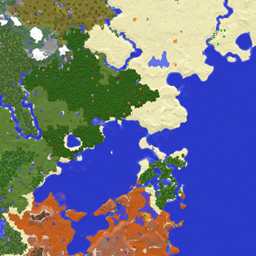
Displays the nearby world terrain, players, mobs, entities in the corner of your screen. Lets you create waypoints which help you find the locations you've marked.

A flexible and expandable accessory/equipment API for users and developers.


Forge and Fabric lightweight library with utilities such as custom Villagers AI, data driven trades, global datapack, custom Map Markers, First and third person item animations, dynamic assets generation, dynamic registration & more


Using async path-tracing to hide BlockEntities/Entities that are not visible

🎓 Collective is a shared library with common code for all of Serilum's mods.

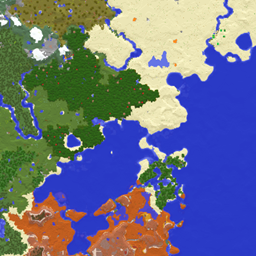
Adds a fullscreen worldmap which shows you what you have explored in the world. Can work together with Xaero's Minimap.

Dipasang dengan satu klik melalui KLauncher
Tekan “Pasang” — pelancar memilih loader serta memuat turun kebergantungan dan versi permainan yang betul. Percuma.
About the Minecraft add-ons catalog
KLauncher hosts one of the largest catalogs of mods, modpacks, maps, shaders and resource packs for Minecraft. All add-ons are tested for compatibility with the latest game versions and Forge, Fabric, NeoForge and Quilt loaders.
Use KLauncher to install any mod with one click. The launcher detects the Minecraft version automatically, picks the right loader and resolves dependencies. No manual setup required.
How to download and install a mod
Pick a mod in the catalog and press Install — the launcher does the rest. For manual installation, download the .jar file and place it into the mods folder inside .minecraft. Make sure the mod version and the Forge/Fabric version match your Minecraft version.
Popular mod categories
Tech and energy, magic and quests, adventure and bosses, farming and automation, optimization and graphics, minimaps and storage. Filter the catalog by category, Minecraft version and loader to find exactly what you need.